An Epicor Kinetic BAQ Call From Application Studio Using Provider Model to Execute Dynamic Where Filters on the Server
By Bryan Spencer
· Create BAQ without parameters. You will be sending where statements dynamically using method parameters to control business logic execution
· In Application studio create a Grid panel object
· Create a view in kinetic to hold your search values
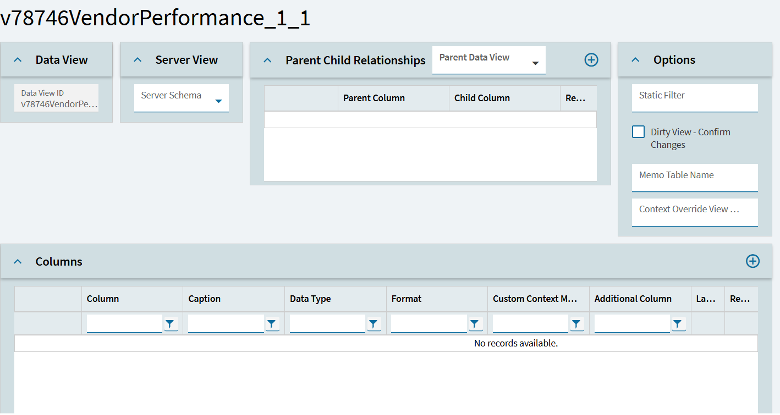
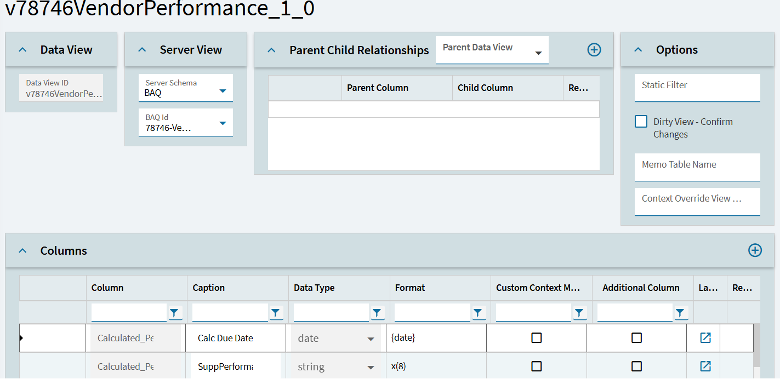
· Create a BAQ view pointing to the BAQ that we are working with to structure your business activity query for efficient data retrieval across multiple data types
At this point you should have 2 views one that has fields that will be mapped to controls to collect filter values and one that has all the fields that are returned from the BAQ results, ensuring clarity in how BAQ results are structured and consumed.
Now it’s time to configure the grid.
Navigate to the Provider Model and enter the BAQ ID. Then under Where List enter each filter that you would like to execute on the server.
In this example “??” is the JavaScript nullish coalescing operator in this specific case the value will be ignored if the view field is null. The remaining is standard syntax to send the value from a view field as part of the method parameters passed to the business activity query.
The nice part about this is that Kinetic is smart enough to execute the baq again each time the field value changes in the filter view. Nothing additional has to be done the only difference being how dynamic filters influence business logic without manual refresh handling.
Once the grid is configured, connect controls to the filter view so as to collect values for sending to the server. In this example I have two controls that are capturing a date range to the filter view demonstrating how different data types are passed through method parameters to refine BAQ results.
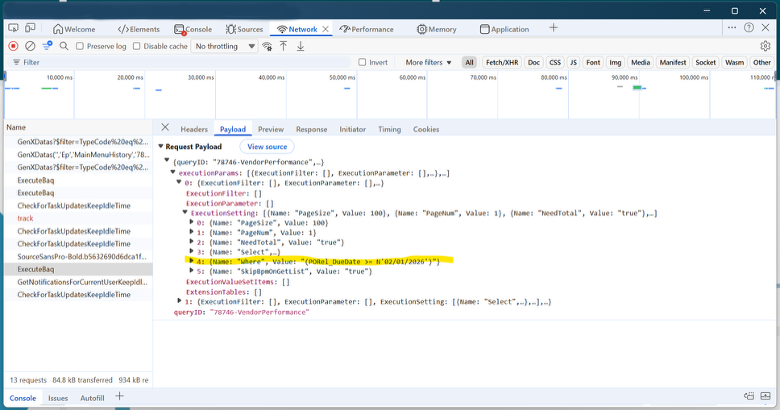
Below is the trace showing where filters are being sent to the server as apart of the execution parameters highlighting how business activity query method parameters drive server-side business logic and impact BAQ results.